StreamShield

Automatic secret blur for developer streams

Stream code, demos, wallets, and dashboards without leaking keys, tokens, QR codes, or seed phrases. StreamShield catches them before they ever hit OBS Studio, Streamlabs Desktop, or Google Meet.

Blur keys, seed phrases, QR codes, and tokens before they hit OBS, Streamlabs, or Google Meet.

Built for live coding, product demos, security walkthroughs, and any stream where one accidental reveal matters.

See the blur before you go live
Slide across the frame and watch the secret disappear.
Before
PRIVATE_KEY=0x012345...
Secret Recovery Phrase
Seed phrase Private key API key QR code JWT .env token

Fits your setup

Works with the streaming tools you already use.

Add StreamShield Capture in OBS, or open the desktop app for Streamlabs and pick StreamShield Preview in NDI Source. Then keep streaming to Twitch, YouTube, Kick, or Google Meet.

Native source in OBS
Desktop app for Streamlabs
Keep streaming to Twitch
Keep streaming to YouTube Live
Keep streaming to Kick
Share in Google Meet

Live demo

See StreamShield catch a real leak before it reaches your audience.

8s loop

Get set up fast

Pick your setup and be live in minutes.

OBS gets a native source. Streamlabs gets the desktop app with NDI output.

OBS logo OBS Studio
Native plugin

Add StreamShield Capture directly inside OBS.

Download the plugin, install it once, restart OBS, and pick StreamShield Capture from your Sources list.

  1. Download and unzip the OBS plugin.
  2. Move streamshield.plugin into ~/Library/Application Support/obs-studio/plugins/.
  3. Restart OBS and add StreamShield Capture.
Streamlabs logo Streamlabs Desktop
Desktop app + NDI

Open the desktop app, then add it in Streamlabs through NDI Source.

Install StreamShield.app, turn on Preview + NDI, then add NDI Source in Streamlabs and choose StreamShield Preview.

  1. Download the Streamlabs desktop app DMG.
  2. Drag StreamShield.app into Applications and open it.
  3. Choose a source, switch Output to Preview + NDI, and click Start Capture.
  4. In Streamlabs, add NDI Source and select StreamShield Preview.

Made for streams where the screen is real and mistakes are expensive.

If you stream code, dashboards, wallets, terminals, or product walkthroughs, StreamShield is there for the seconds where a real secret can flash on screen.

Vibe coders and live builders Share IDEs, terminals, localhost apps, and `.env` files without flashing keys on stream.
DevRel and product demo teams Show real workflows, dashboards, and sign-in flows without constantly hiding windows by hand.
Crypto and security streams Protect wallets, QR codes, recovery phrases, findings, and internal tools during live walkthroughs.

Features

Your stream stays clean. The risky parts disappear.

Automatic blur for secrets on screen

StreamShield detects API keys, `.env` secrets, seed phrases, private keys, JWTs, QR codes, long base58 strings, and wallet export labels, then blurs those regions before the frame reaches the stream.

Get StreamShield
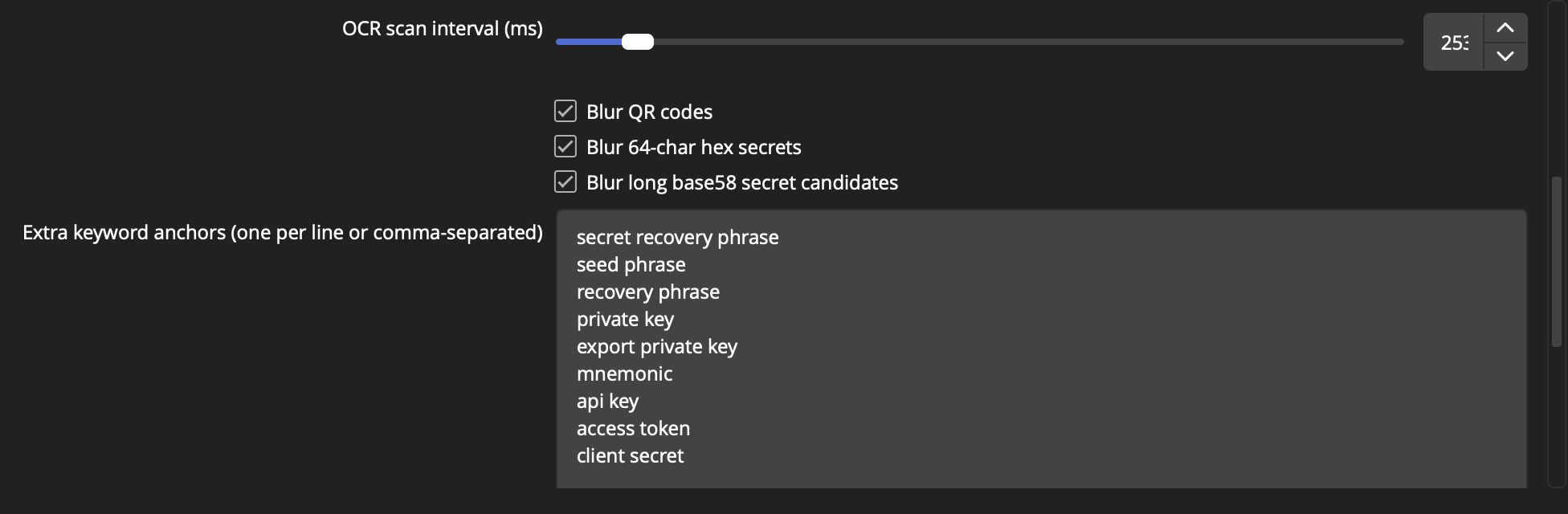
Detector settings Built-in secret classifiers
QR Hex Base58
Actual StreamShield detector settings showing OCR interval and built-in secret detectors
Built-ins on by default
Actual detector settings inside StreamShield Capture.

Set what should always stay hidden

Add custom keywords and regexes for internal tools, staging panels, admin screens, or any secret format you do not want showing up on stream.

Get StreamShield
Rule editor Keyword anchors and custom regexes
Anchors Regex .env
Actual StreamShield keyword anchors and custom regex settings
Your custom anchors live here
Keyword anchors and custom regexes from the real source properties panel.

Hide the wrong windows before they ever show up

Keep OBS, password managers, and control panels out of the shot before they ever have a chance to pop into frame.

Get StreamShield
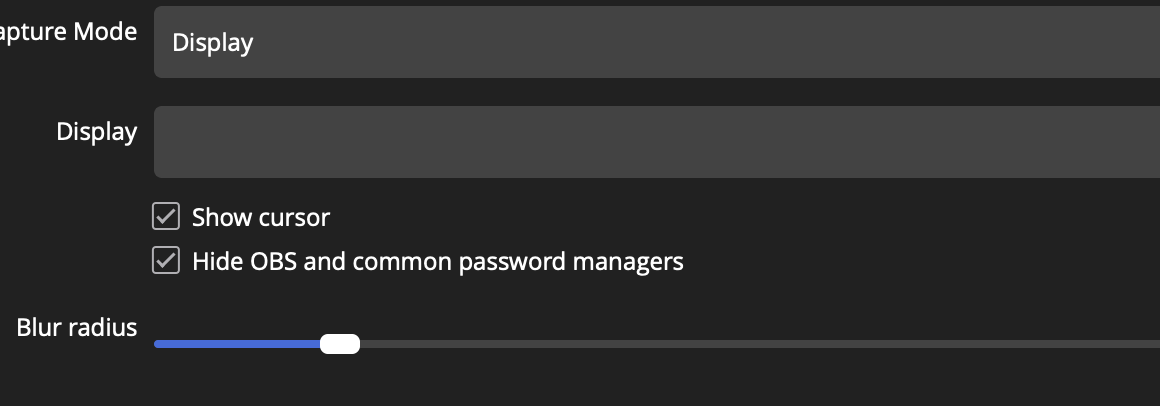
Capture controls Window mode, exclusions, blur radius
Display Hide OBS Cursor
Actual StreamShield capture properties with display mode and exclusion controls
Hide OBS and risky windows
Real capture properties with cursor, exclusion, and blur controls.

OBS and Streamlabs both have a clean setup.

OBS gets a native source. Streamlabs gets a desktop app that publishes StreamShield Preview through NDI Source.

Get StreamShield
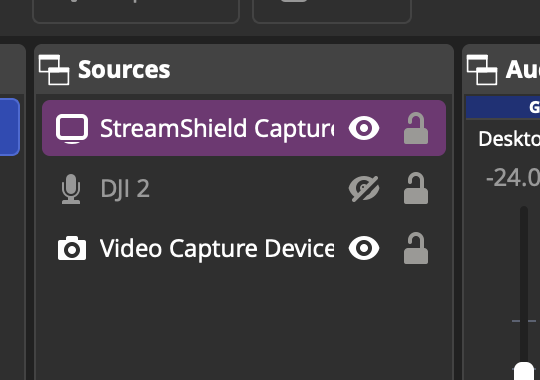
Native OBS source Shows up as StreamShield Capture
OBS Sources Ready
Actual OBS scene with StreamShield Capture in the Sources panel
StreamShield Capture
The plugin shows up as StreamShield Capture directly inside OBS.

Local-first redaction

Detection and blur stay on your machine. Your raw screen does not need to leave your computer to be made safe.

Get StreamShield
On-device

Pricing

One simple price.

FAQ

Common questions

If your question is not answered here, email support.

Will my videos or screen frames be uploaded to StreamShield servers?

No. Detection and blur happen on your machine.

Does this replace OBS?

No. It sits in front of OBS. You add StreamShield as the source instead of a raw display or raw window capture.

Does Streamlabs work too?

Yes. Open the StreamShield desktop app, turn on Preview + NDI, then add NDI Source in Streamlabs Desktop and choose StreamShield Preview.

Can it work with Google Meet?

Yes. StreamShield sanitizes the source locally, then you share the StreamShield preview window into Meet.

How do I test the Google Meet add-on?

Install the Meet add-on in your Google Workspace project, then open Meet and look for StreamShield in the Activities panel.

How do people install the Google Meet add-on?

After it is published, people can install it from Google Meet, Google Workspace Marketplace, or a direct install link.

Is this only for crypto demos?

No. Crypto is one high-risk use case, but the product is for any developer streaming while coding, demoing, debugging, or screen sharing with secrets on screen.

What exactly triggers the blur?

API key formats, `.env` assignments, wallet labels, secret-looking string patterns, QR codes, private key headers, JWT-like tokens, long base58 candidates, hex secrets, and your own custom regexes.

Why charge for a plugin at all?

It is a one-time $5 lifetime purchase for this Mac release.

Go live with confidence

Protect your screen before you go live, whether you use OBS or Streamlabs.